
Rip CDs, fix tags, and sync to every player you own — on Mac.
Diskoteca rips CDs to FLAC, cleans up metadata and artwork, builds playlists, and syncs to your DAPs, iPods, and USB drives — each with its own format, playlists, and what gets included. Pay once, own it.
FLAC · ALAC · MP3 · AAC · OGG · WAV — 14-day free trial, no signup · Apple silicon
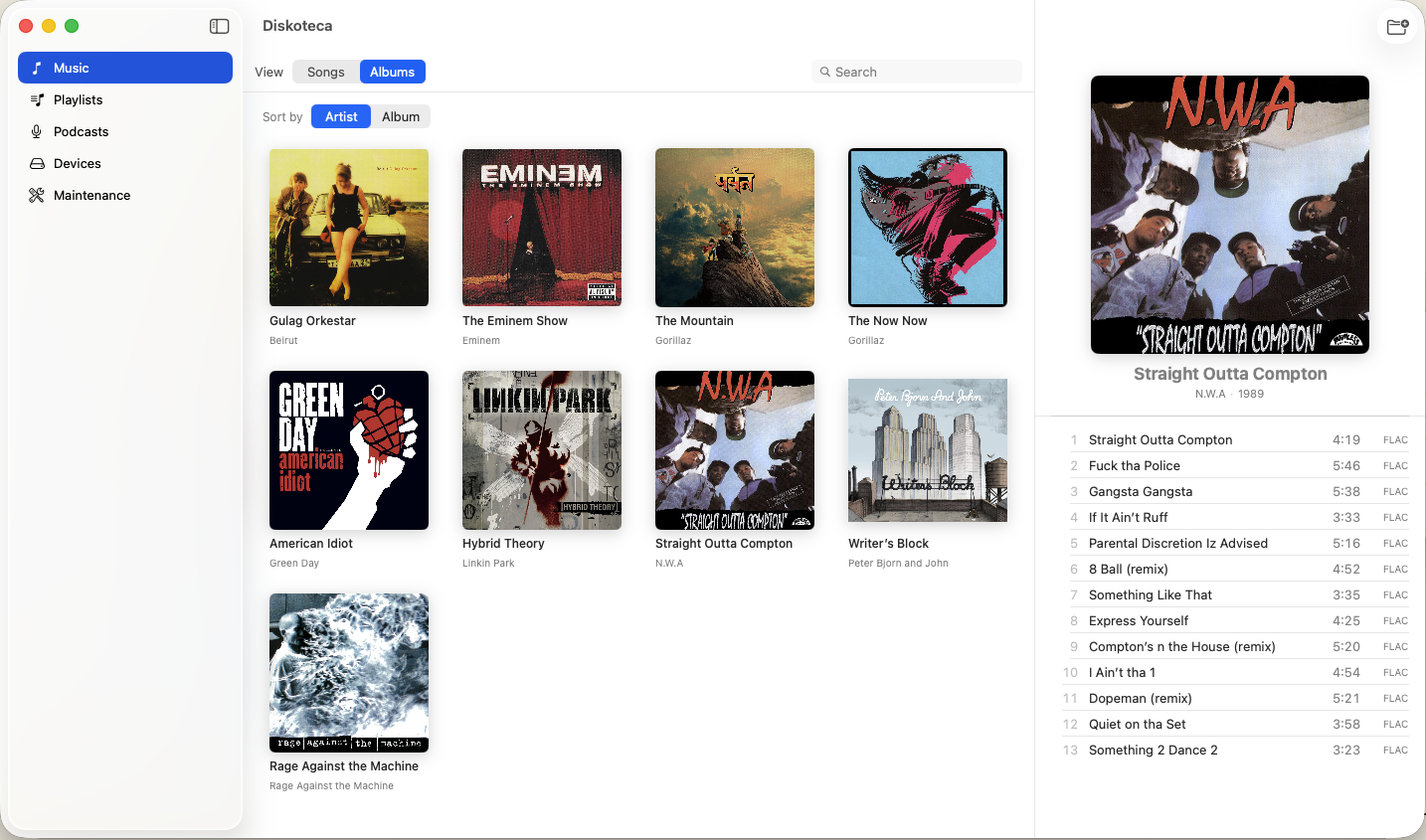
Everything on one record.
The jobs you currently split across a ripper, a tagger, a playlist tool, and a file manager — pressed onto a single app.
Build the library
Take it with you
- 4PlaylistsManual or rule-based, exported as M3U8 so your player actually reads them.M3U8
- 5Device syncMultiple players at once, each with its own profile — which playlists, which format, which folders. Transcode on the way out.ANY USB VOLUME
- 6PodcastsFollow shows by RSS and carry them to your player alongside your music.RSS
Device sync
Your library, on every player you own.
Any mounted volume — Rockbox iPod, FiiO, HiBy, USB stick. Each device gets its own profile: which playlists go, what format, what folder layout. Review the diff, then sync.
About device sync →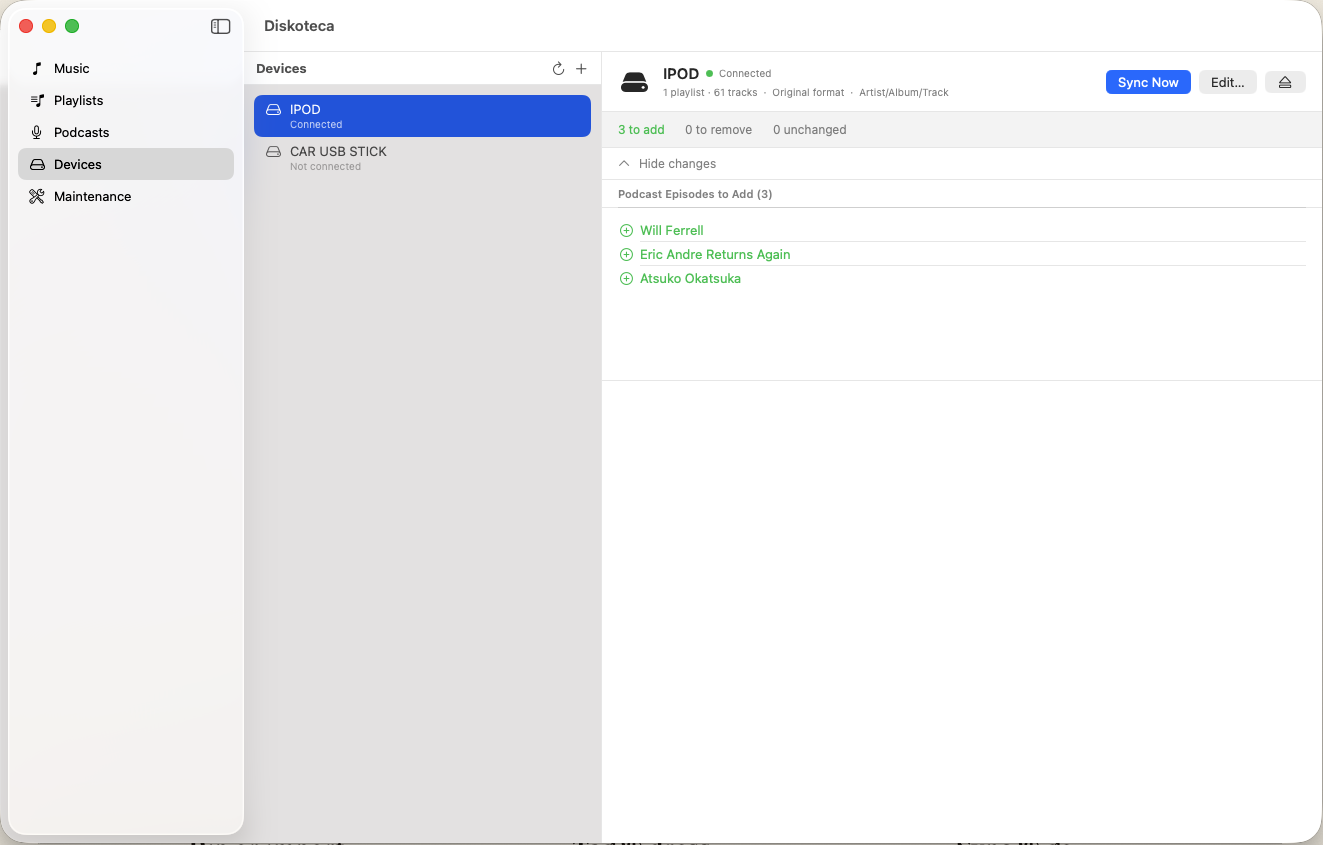
How it works.
1
Rip or import
Insert a CD or point Diskoteca at folders you already have — duplicates are flagged before they land.
2
Tag & dress
Fix titles and track numbers inline; missing artwork gets embedded straight into the files.
3
Sync & go
Plug in your player, review the diff, hit Sync. Transcode to MP3 or AAC on the way out if needed.
14-day free trial
Priced like a record, not a rental.
€14.99 once, and v1 is yours — every 1.x update included.
See pricing details →Take it for a spin.
The full app, free for 14 days. No signup, no card — the trial starts when you do.
macOS 14 Sonoma or later · Pay once, keep it